



Whitevision
Simplify expense management with the Budget Card
Are you struggling with these bottlenecks?
With the Budget Card, your organization gains immediate insight into expenses and simplifies administration.
- Expense reports and minor expenditures are time-consuming and prone to errors;
- Employees forget receipts or submit expense claims late;
- Managers do not have an up-to-date overview of budgets;
- Finance departments spend a lot of time on manual processing and checking;
- Fragmentation of cost centers and poor reporting make budget management difficult;
- Cash and loose debit cards pose unnecessary risks.
Smart payments with real-time insight
It is difficult for organizations with decentralized spending to maintain an overview. Receipts get lost, expense claims get mixed up, and expenses often end up in the accounts late. This slows down decision-making, increases the risk of errors, and costs a lot of time.
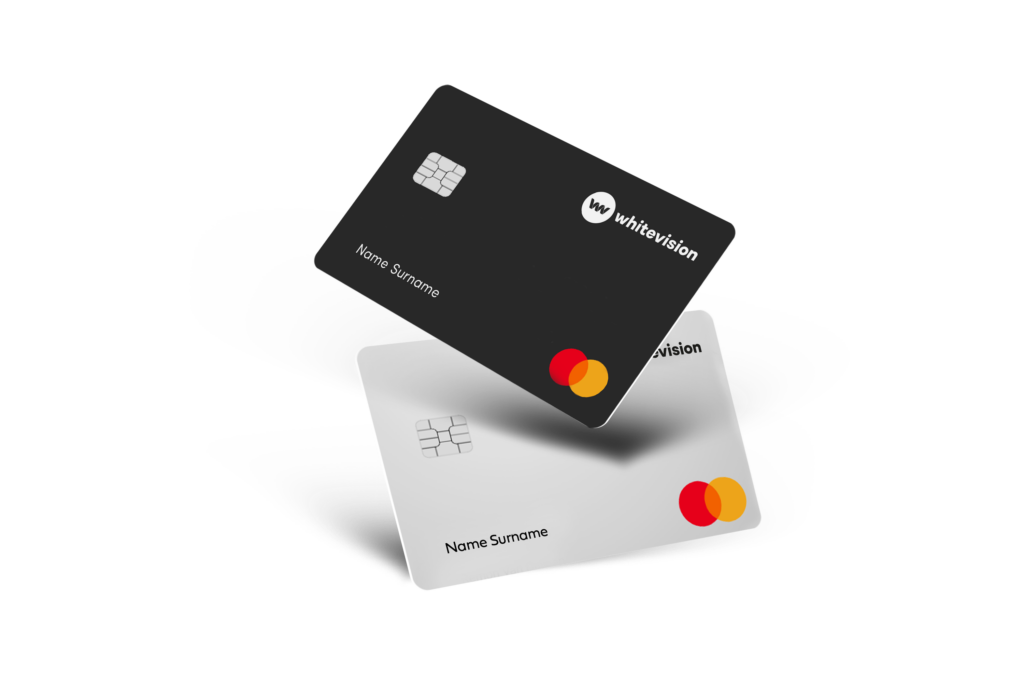
The Budget Card offers a smart solution. With a physical debit card, purchases can be made immediately within pre-set limits. Receipts and invoices are automatically scanned and recognized by AI, including date, time, amount, and cost type. Each transaction is immediately linked to the correct cost center or department in the ERP system. This saves you time, reduces administrative burdens, and gives you real-time insight into all expenses.
AI-driven processing
Traditional expense claim processes and credit card management are often time-consuming and prone to errors. With the Budget Card, you have complete control and can automate these processes. AI reads receipts and processes the entries immediately. Journal entries, VAT, and accounts payable entries are automatically created and linked to the ERP system. Deviations, such as exceeding limits, appear immediately in the dashboard. This way, you always know where the budget stands and can quickly make adjustments. Administration is faster and more reliable. Everyone can pay easily and securely, without any hassle.

Totally in control
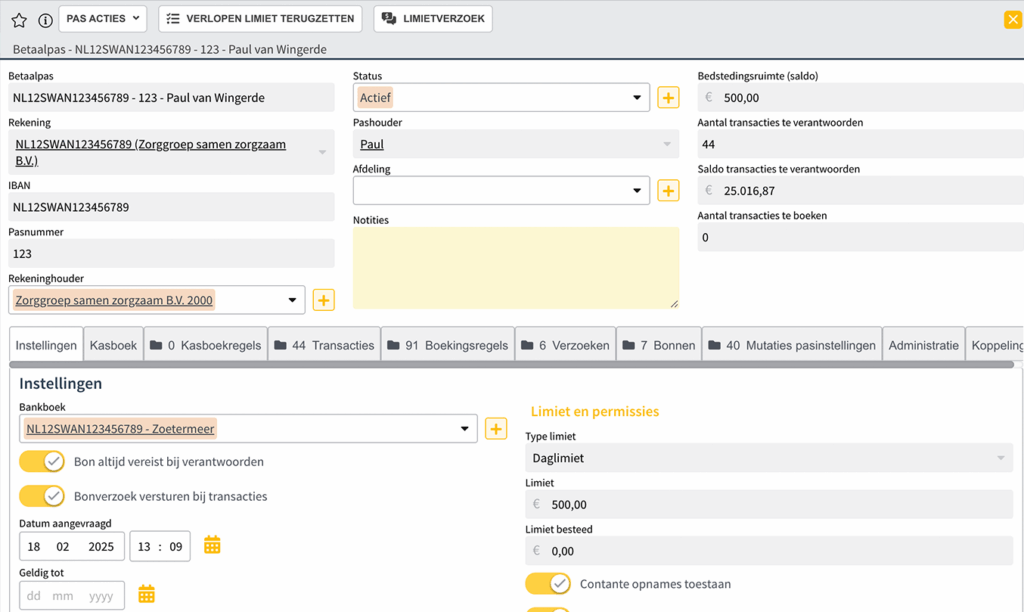
For organizations with multiple locations, project teams, or clients, it can be difficult to maintain an overview and control. The Budget Card offers flexibility and complete control. Limits and authorizations can be easily adjusted. Cards can be temporarily blocked, unblocked, reassigned, or linked to specific departments or projects. The central dashboard provides real-time insight into all expenses per employee, department, or project. This gives you a constant overview and allows you to make adjustments before budgets are exceeded. With the Budget Card, you retain complete control over expenses. Employees can pay easily and securely, while finance teams save time and effort every day.
AI in our products
AI is integrated into our solutions to make everyday processes smarter and faster. This allows you to work more efficiently, with fewer errors, and with greater insight.


Frequently Asked Questions
Can I pay with my smartphone?
In addition to physical cards, you can also use virtual cards. You can easily add virtual cards to your Apple Wallet (Apple Pay) or Google Wallet (Google Pay). This allows you to make mobile payments directly using your own device.
What if a receipt is missing?
If a receipt is missing, the cardholder will receive a message to add it. This reminder will be repeated several times. You can see exactly which cardholders still need to submit receipts on the dashboard, so you can keep track of everything.
Can I set limits myself?
Yes, as an administrator or manager, you can set limits for each pass. You can always see who has changed a limit and when, so you retain complete control.
How does the Spend card work with the ERP system?
For every receipt, the AI immediately creates a booking proposal. This proposal is automatically entered into your ERP system, either immediately or after your approval, without you having to do any double work.
Who is the Spend card suitable for?
Medium to large organizations with decentralized spending, multiple locations, or employees who regularly make small purchases.
What advantages does the Spend card offer over traditional company cards?
No transaction fees, automatic AI bookings, real-time overview, and full control over limits and authorizations.
My question is not there, what is the best thing to do?
Fill in the contact form and we will answer your question as soon as possible. Are you already a Whitevision customer? Then go to the customer portal for more information.
The Budget Card in use
Payment
Employees make purchases directly with the physical Budget Card. Everything stays within the set limits, so expenses are automatically under control. No extra approvals or hassle.
Process
Receipts are scanned using the app. AI recognizes the date, time, amount, and cost type and immediately links everything to the correct cost center, department, or project in the ERP system. Manual retyping or checking is no longer necessary.
Instant insight
Receipts are scanned using the app. AI recognizes the date, time, amount, and cost type and immediately links everything to the correct cost center, department, or project in the ERP system. Manual retyping or checking is no longer necessary.
In good company

Zuijl en Weerd

GWS dé schoonmaker

Hendriks groep

Hurks

Van Markus Autoschade

Vlasman

Van Wanrooij

Heras Mobile Fencing

Winters bouw ontwikkeling

Witte Bouw

Veiligheidsregio Gelderland-Zuid

Safety Group

Roozen van Hoppe Groep

Trebbe

Groenen Groep

Van der Weegen Bouwgroep

Van Dillen Bouwgroep

Raedts

MOBIX

Gebrs. Kurvers Wegenbouw

Mansveld

PALI Group

Prohles

Landelijke Huisartsen Vereniging

LenGo

NEOS

NVD Beveiligingsgroep

Franssen Franken

Effektief

Dura Vermeer

Gebroeders Pol BV

Kesselaar ZN

Jacobus Fruytier scholengemeenschap

ETB van Keulen

Keus Schoonmaak en Diensten

Cnossen Infra

De Zellingen

Eneco eMobility

Feenstra en van Goor

Braspenning

YoungCapital

Aalberts

Automotions
Aveco de Bondt

Barli

BasisBuren

Bibliotheken

Blankers Schoon

Eurotransplant

De Nijs

AC Borst Bouw

Jansen & De Wit

Zusterz

Want to know more?
Experience for yourself how the Budget Card saves time and money. Request a demo and discover how AI-driven bookings, real-time dashboards, and flexible card management simplify your financial processes.


